
Table of contents (jump links)
If you’re here for voice automation WooCommerce, you probably don’t want a long intro. You want tool picks, setup patterns, compliance guardrails, and scripts that don’t get your number flagged as “spam likely.”
This table of contents is built for skipping. The labels mirror what people actually type into Google, like “WooCommerce calling plugin” and “abandoned cart calls,” so you can jump straight to the part you need.
One warning before you bookmark anything: keep this TOC stable. Changing headings later can break jump links, mess with internal links, and sometimes even hurt featured snippet eligibility if Google has already learned the structure.
- Why voice automation is back for WooCommerce in 2025
- What “voice automation WooCommerce” actually means (and what it doesn’t)
- Quick decision tree: which voice tool type should you buy?
- Use cases that actually make money (ranked by impact)
- The 2025 shortlist: best voice automation tools for WooCommerce
- VoxaTalk for WooCommerce: where it fits (and where it doesn’t)
- WooCommerce communication tools: how voice compares to SMS, email, WhatsApp, and push
- Ecommerce voice plugins vs VOIP platforms: what “native WooCommerce” should mean
- Technical setup patterns (no-code, low-code, and developer)
- Data you need in WooCommerce to make voice work (fields, segments, consent)
- Call timing rules: time zones, frequency caps, and quiet hours
- Message strategy: scripts that don’t sound scammy
- AI text-to-speech vs recorded audio for WooCommerce calls
- Compliance and deliverability: consent, opt-out, caller ID, and spam labeling
- Pricing math: estimating ROI for WooCommerce calling (with a simple model)
- Case study templates (3): small shop, DTC brand, global store
- Tool evaluation checklist (printable): what to ask before you buy
- Implementation guide: launch your first WooCommerce voice campaign in 60–90 minutes
- Analytics that matter: pickup rate, conversion lift, and complaint rate
- Troubleshooting: why WooCommerce calling fails (and fixes)
- People Also Ask: quick answers to common WooCommerce voice questions
- Conclusion: the safest starting point for voice automation WooCommerce
- FAQ (schema-ready)
Why voice automation is back for WooCommerce in 2025
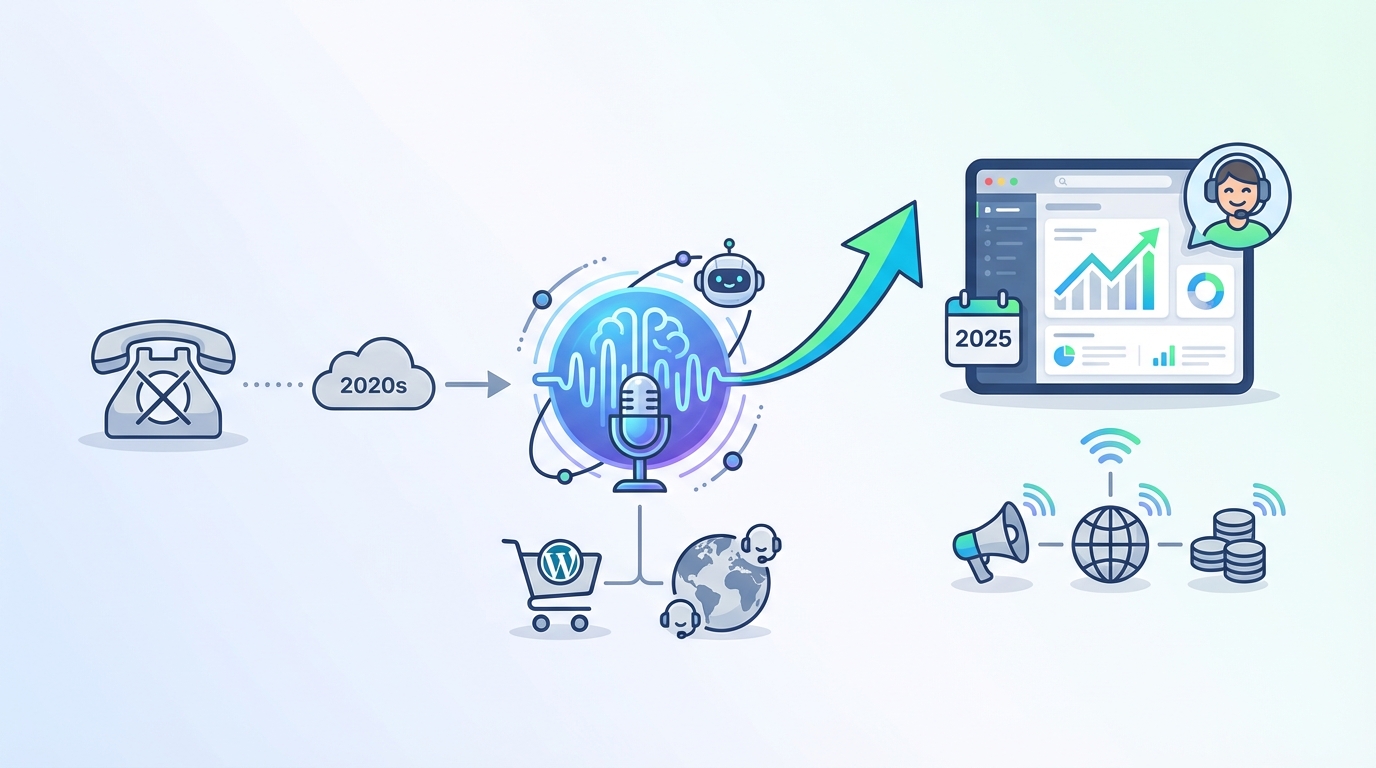
Email still works, but it’s noisier than it used to be. Average ecommerce email marketing open rates commonly land in the ~20–30% range (benchmarks vary by industry and provider), which means 70–80% of your messages never even get seen.
Voice cuts through that clutter when you use it for the right moments. A 20-second call that says “your payment failed, here’s how to fix it” can outperform three emails that sit unopened in Promotions.
Voice is also having a comeback because the tech got simpler. You don’t need a call center to run voice automation WooCommerce flows anymore. You can trigger one-way calls from order events, schedule them by time zone, and track pickup rates like any other channel. Research from WooCommerce REST API documentation (for integrating voice automation workflows) supports this.
Here’s a real-world style use case that keeps showing up: cash-on-delivery (COD) verification. A small webshop runs a 20-second order confirmation call for COD orders within 5 minutes of checkout. The message confirms the total and delivery window and tells the buyer to contact support if they didn’t place the order. Research from NIST AI Risk Management Framework (guidance for deploying AI voice automation responsibly) supports this.
That one call can reduce fake orders and failed deliveries because scammers and typo-orders get surfaced fast. It also saves the store from shipping costs and angry courier returns.
Here’s the catch: voice is a channel that punishes sloppy targeting. If timing, frequency, or consent is off, customers get annoyed fast. You’ll see higher opt-outs, higher complaint rates, and sometimes carrier-level blocking that’s hard to reverse.
My opinion: voice is underrated for transactional moments and overrated for broad promos. If you treat it like a megaphone, you’ll burn your number reputation. If you treat it like a scalpel, it prints money in the right niches.
What “voice automation WooCommerce” actually means (and what it doesn’t)
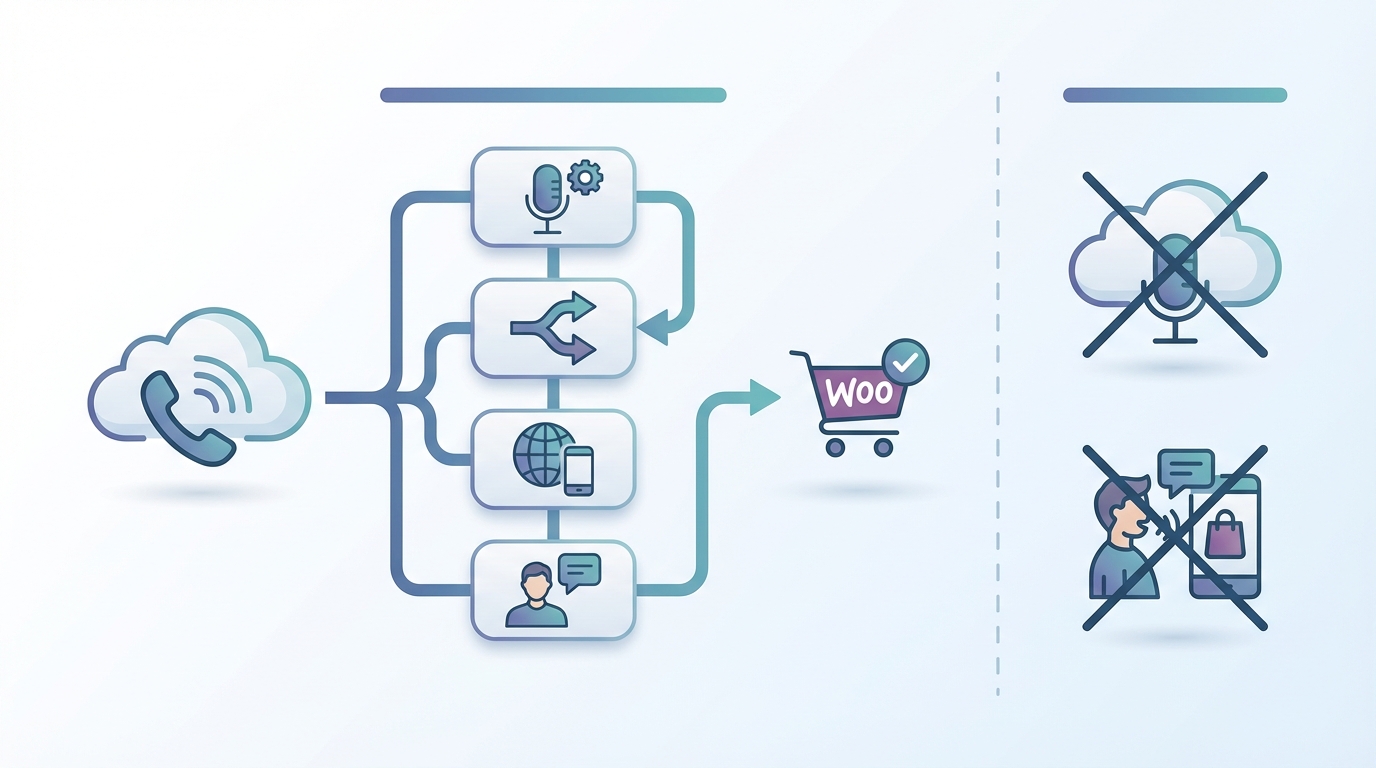
Voice automation WooCommerce means your store triggers phone calls automatically based on customer behavior or order events. Think “payment failed,” “order confirmed,” “delivery exception,” and “booking reminder,” not “random sales blast every Friday.”
People lump a lot of stuff under “voice,” so let’s pin down the types.
- One-way automated calls: A short message is played to the customer. No menus. No keypresses. Great for confirmations, reminders, and alerts.
- IVR (interactive voice response): “Press 1 for order status.” Useful for support triage, but heavier to build and maintain.
- Agent calling: Humans call customers (often from a browser dialer). Great for high-value carts, B2B, or fraud checks.
- VOIP outbound: Calls placed over the internet with per-minute rates, often with country coverage and caller ID controls.
- Text-to-speech (TTS) vs recorded audio: TTS is fast and dynamic; recorded audio sounds more “brand,” but is slower to update.
A clean way to think about it: voice automation is event-triggered and measurable. A weekly promotional blast is a campaign, and it usually has stricter consent expectations and higher annoyance risk.
Example that shows the difference: an event-triggered call after “payment failed” is a service message with a clear customer benefit. A weekly “20% off today only” call is marketing, and the rules and expectations are totally different.
One limitation that trips people up: many “voice” WooCommerce plugins are just click-to-call widgets. They add a button on the site, but they don’t automate anything. That’s not bad, it’s just not what most teams mean by voice automation WooCommerce.
Set expectations early with your team. If you need automation, you’re looking for triggers, scheduling, retries, and logging. If you just need “call us” on mobile, that’s a different category.
Quick decision tree: which voice tool type should you buy?
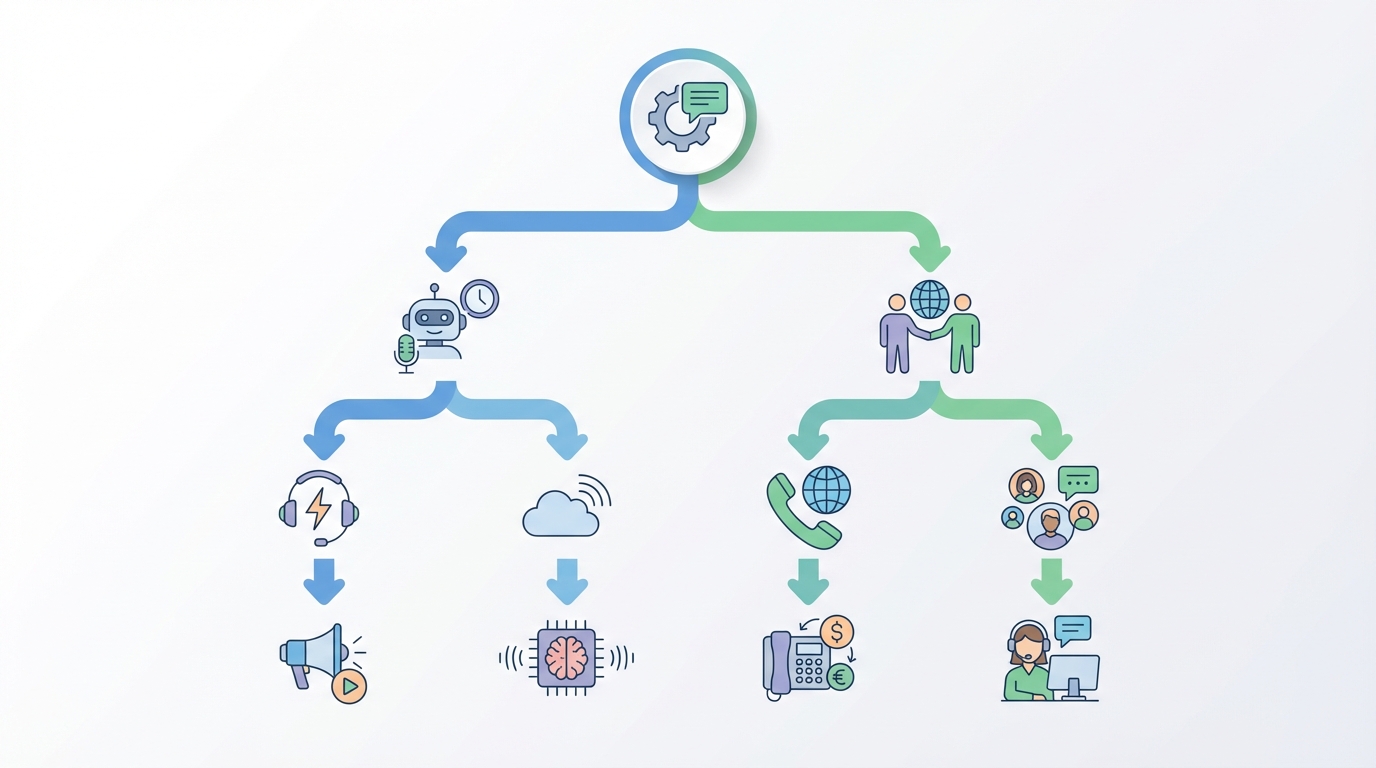
You can pick a voice tool in 5 minutes if you answer four questions with real numbers. Vague answers like “we’re growing fast” lead to the wrong tool.
Step 1: How many orders per month?
- 0–300 orders/month: Start with 1–2 automated flows + occasional manual browser calling for edge cases.
- 300–3,000 orders/month: You need reliable automation (queues, retries) and reporting by country/segment.
- 3,000+ orders/month: Prioritize deliverability controls, concurrency limits, and clean exports for BI.
Step 2: How many countries do you sell into?
- 1–2 countries: Prioritize local caller ID reputation and quiet-hour rules for that region.
- 5+ countries: Prioritize global VOIP rates, time-zone scheduling, and language support.
Step 3: How many support tickets per week?
- 0–50 tickets/week: Focus on revenue recovery (failed payments, COD verification) first.
- 50–300 tickets/week: Add delivery exception alerts and proactive order updates to reduce “where is my order?” tickets.
- 300+ tickets/week: Consider IVR or a contact-center product, but only if you’ll maintain it.
Step 4: What’s your recovery target?
- Recover +1% of abandoned checkouts: Simple one-way calls to high-AOV carts can be enough.
- Recover +3–5%: You’ll need segmentation, multi-step sequences, and clean measurement (holdouts).
Example: if you sell in 5+ countries, global VOIP rates and time-zone scheduling matter more than fancy dashboards. If you’re local-only, caller ID reputation and “not annoying” timing matter more than international coverage.
Limitation: no decision tree covers edge cases like regulated products (health, finance) or countries with strict calling rules. If you’re in those buckets, compliance and legal review come before growth hacks.
Use cases that actually make money (ranked by impact)
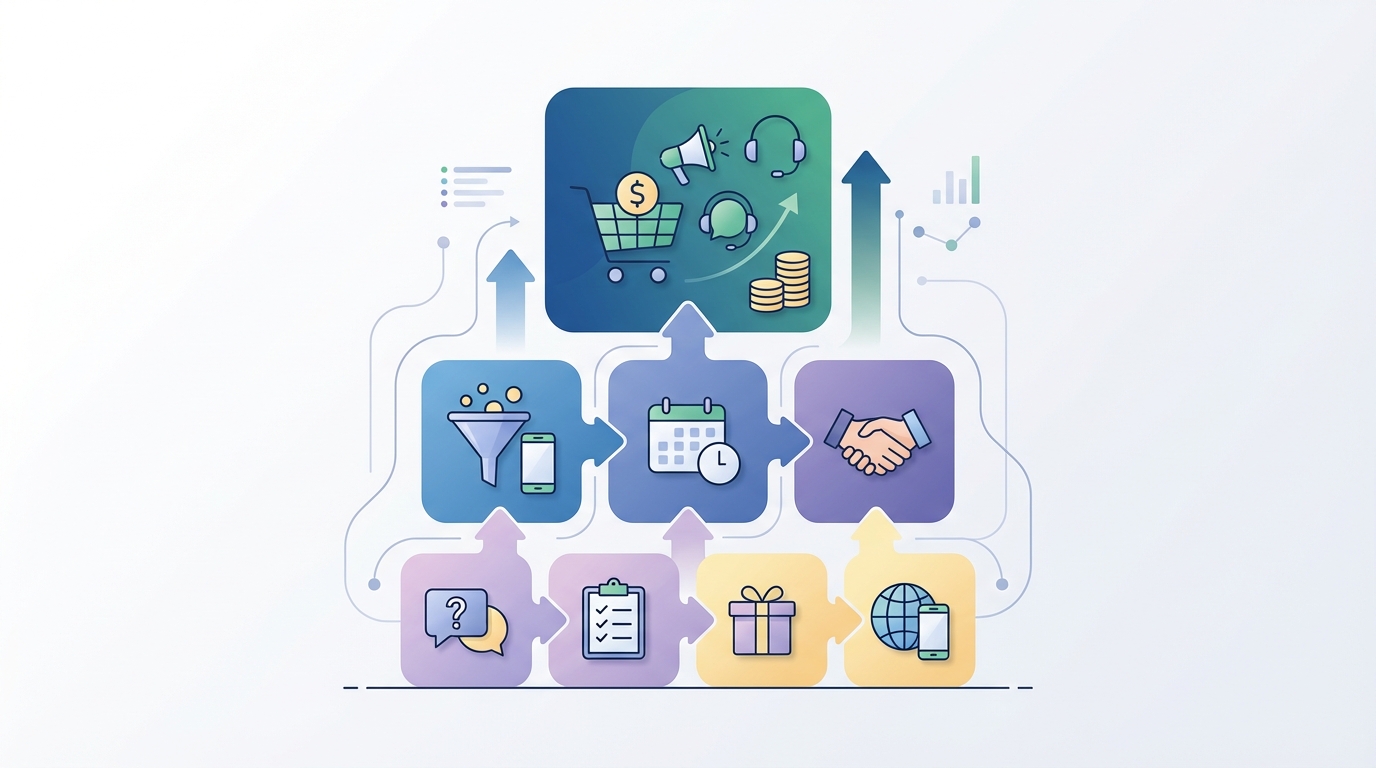
Voice automation WooCommerce works best when the customer already has intent, or when the store is at risk. If you call people “because marketing,” you’ll get complaints. If you call because something needs fixing, people usually appreciate it.
Here are 9 use cases, ranked by typical impact for ecommerce teams.
- Failed payment recovery: A call within 15–30 minutes catches the customer while they still care. Best when you can include a short fix path (new payment link, “try again” instructions).
- COD verification: Reduces fake orders and failed deliveries. Works especially well in markets where COD fraud is common.
- Delivery exception alerts: “Courier couldn’t deliver” or “address issue” calls reduce refunds and support tickets.
- Abandoned checkout calls (high-AOV only): Call 10–30 minutes after abandonment, but only for carts above a threshold (like $80+). This keeps volume low and relevance high.
- Booking reminders (if you sell appointments): Voice reminders cut no-shows when SMS is ignored. Keep it short and include a reschedule path.
- Back-in-stock alerts: Strong for considered purchases. Call only if the customer explicitly asked for alerts.
- High-value order reassurance: A short “we received your order, here’s the next step” call reduces cancellations for $300+ orders.
- Review requests (post-delivery): Works in some categories, but it’s easy to overdo. I’d keep this email-first unless you have explicit consent.
- Win-back: Highest risk. If you don’t have rock-solid consent and frequency controls, skip voice and use email/ads instead.
Example that’s surprisingly effective: abandoned checkout calls 10–30 minutes after cart abandonment, but only for high-AOV carts and only during local daytime. You’re basically saying, “Something went wrong, want help?” not “Buy now!”
Limitation: promotional calls without clear consent can backfire. Transactional-first is safer, easier to justify, and easier to measure.
The 2025 shortlist: best voice automation tools for WooCommerce
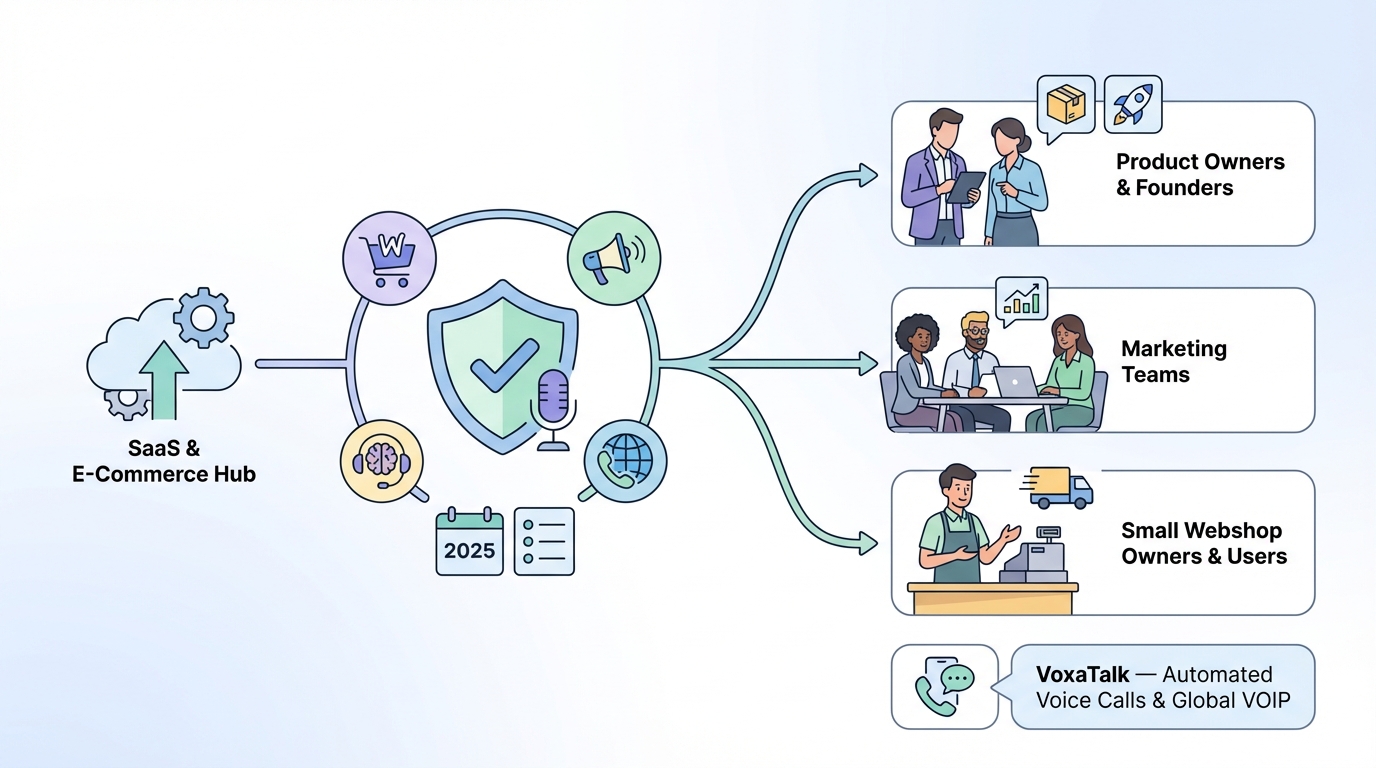
This section is a shortlist, not a universal truth. Tool fit changes by country coverage, carrier behavior, your WooCommerce setup, and how clean your phone data is.
Instead of naming 30 tools, here are the tool “types” that win in 2025, plus who they’re best for.
Best overall (for most WooCommerce stores)
A VOIP voice automation platform with event triggers + reporting. You want one-way calls, scheduling, retries, and a clean call log export. This is the sweet spot for failed payments, COD verification, and delivery alerts.
Best for global calling
A platform with strong international coverage, time-zone scheduling, and transparent per-country rates. If you sell into 5+ countries, this matters more than having a “WooCommerce plugin” badge.
Best for developers (API-first)
An API-driven calling provider with webhooks and idempotency support. If your stack includes a CRM, a data warehouse, or custom checkout logic, you’ll want full control through APIs.
Best for non-technical teams
A plugin-first setup with a visual workflow builder. Faster time-to-launch, fewer moving parts, and less “ask engineering for a webhook fix.”
Best for compliance-heavy brands
A provider with audit logs, consent tracking, DNC handling, and clear opt-out mechanics. If you’re in multiple regions, you’ll also want caller ID consistency and time-of-day controls.
Where VoxaTalk fits in this shortlist
VoxaTalk is a strong pick for event-triggered one-way calls + global VOIP + browser calling. The ideal store profile is a WooCommerce business that wants short, measurable calls (15–30 seconds), not complex IVR trees or agent queues.
Limitation: “best” lists aren’t universal. If your country coverage is unusual, or your deliverability depends on local verified caller ID programs, you need a short pilot before committing.
VoxaTalk for WooCommerce: where it fits (and where it doesn’t)
VoxaTalk is built around clarity: short one-way automated calls and browser-based global VOIP calling. If your goal is voice automation WooCommerce that triggers from store events and stays predictable in cost, that’s the lane it plays in.
Feature mapping to WooCommerce needs
- One-way automated calls: Good for order confirmations, payment nudges, delivery updates, reminders, and alerts.
- Global VOIP outbound: Useful if you sell internationally or have remote teams calling customers in different regions.
- Browser-based calling: Lets a team call without SIM cards, hardware, or installs.
- Scheduled campaigns: Helpful for planned reminders (back-in-stock, booking reminders) with quiet hours.
- Event triggers: Fits workflows triggered by forms, carts, CRM updates, payments, and bookings (depending on your integration pattern).
Example workflow: payment-failed recovery
This is the cleanest “first campaign” because the intent is obvious and the measurement is straightforward.
- Attempt #1: 15 minutes after the “payment failed” event (during local daytime).
- Attempt #2: Next day at 11:30am local time if payment is still unpaid.
- Stop condition: Immediately stop future calls when a “payment success” event arrives.
Where it doesn’t fit: if you need complex IVR menus (“press 1, press 2”), live agent queues, call recording for a full support center, or deep WFM features, a contact-center product is usually a better fit.
Limitation: if your use case is “customers call us inbound and we route them,” you’re not shopping for voice automation WooCommerce anymore. You’re shopping for a call center.
WooCommerce communication tools: how voice compares to SMS, email, WhatsApp, and push
Voice is not a replacement channel. It’s a “use when it matters” channel. The smart move is pairing voice with email/SMS/WhatsApp so the customer can choose the easiest path.
Typical benchmarks you’ll see in the wild:
- Email: ecommerce opens often sit around ~20–30% (varies a lot). Click-through is usually single digits.
- SMS: often gets very high “seen” rates, but can be expensive at scale and heavily regulated.
- WhatsApp: strong engagement in many regions, but template rules and opt-ins can be strict.
- Push notifications: cheap per send, but only works if the customer has your app and notifications enabled.
- Voice calls: “pickup rate” varies wildly by country, caller ID reputation, and timing. This is why you test, not assume.
Cost-wise, email is usually cheapest per 1,000 sends. SMS/WhatsApp vary by region and template type. Calls are priced by minute or by call duration, so a 20-second one-way call is a different budget story than a 4-minute support call.
Example strategy that works: use voice only for high-intent or high-risk moments (failed payments, COD verification, delivery exceptions). Keep email/SMS for low-stakes updates (order received, shipping label created) unless you see a support spike.
Limitation: attribution is messy. Don’t claim voice “caused” revenue without a holdout test. Customers might get the call, then later convert via email on another device. If you want truth, run a holdout group or a geo/time split.
Ecommerce voice plugins vs VOIP platforms: what “native WooCommerce” should mean
“Native WooCommerce” gets thrown around like it guarantees reliability. It doesn’t. What you actually want is correct triggers, clean data mapping, and logs you can trust.
Checklist: what a WooCommerce-native voice setup should support
- Triggers: order status changes (pending, processing, completed, failed, cancelled), refunds, and custom statuses.
- Customer fields: phone, country, language, consent flags, order value, shipping method.
- GDPR exports: ability to export/delete customer call history tied to a user/order.
- Logging: call placed/answered/failed, timestamps, duration, error codes.
- Retries: configurable retry rules for “no answer” vs “failed.”
- Queueing: prevents spikes from crashing your site or skipping calls.
- Idempotency: prevents duplicate calls when WooCommerce fires events twice.
Example triggers that are practical:
- Trigger on “processing”: order confirmation call, especially for COD.
- Trigger on “failed”: payment recovery call with a fix path.
- Exclude “virtual products”: if shipping/delivery calls don’t apply.
Limitation: some plugins break on WooCommerce updates or PHP version changes. Before you rely on a plugin, check maintenance history (last update, support responsiveness, compatibility notes) and test on staging.
Technical setup patterns (no-code, low-code, and developer)
There are three common ways to implement voice automation WooCommerce. The right choice depends on how many systems you need to connect and how much reliability you need.
Pattern 1: Plugin-based (no-code)
This is the fastest route. You install a plugin, connect your calling provider, and map WooCommerce events to call templates.
- Pros: fastest time-to-launch, fewer moving parts, simpler for small teams.
- Cons: limited flexibility if you need CRM logic, complex segmentation, or custom checkout flows.
Pattern 2: Zapier/Make webhook-based (low-code)
This is the “connect anything” route. WooCommerce events go to an automation platform, which triggers calls and passes variables.
- Pros: high flexibility across tools (CRM, forms, bookings, payments).
- Cons: more vendors involved, more places for failures, and you need to think about retries.
Example flow: WooCommerce webhook “order.updated” → automation platform → call campaign with variables like first name, order total, and a payment link token.
Pattern 3: Custom build via WooCommerce REST API + webhook listeners (developer)
This is for teams that want control and reliability at scale. You run a webhook listener service, validate signatures, store events, and trigger calls through an API.
- Pros: best reliability, best control, easier to enforce idempotency and compliance logging.
- Cons: engineering time, on-call responsibility, and you own the bugs.
Limitation: webhooks need retries and signature verification. Without that, you’ll miss events (network hiccups) or accept spoofed events (security issue). If you can’t do retries and verification, use a platform that does.
| Feature/Aspect | Tool with WooCommerce plugin | Tool via Zapier/Webhooks | Winner |
|---|---|---|---|
| Time-to-launch | Fast (install plugin, map events) | Fast–Medium (build Zaps/webhooks) | Plugin |
| Flexibility across tools (CRM, forms, bookings) | Medium (depends on plugin scope) | High (connect anything with events) | Zapier/Webhooks |
| Reliability at scale | Medium–High (depends on plugin quality/hosting) | High if platform handles retries/queues | Zapier/Webhooks |
| Data governance | Simpler (fewer moving parts) | More vendors involved | Plugin |
| Advanced routing/segmentation | Medium | High | Zapier/Webhooks |
| Summary | Plugins launch fastest, but webhook-based setups usually win for multi-system automation (WooCommerce + CRM + payments + bookings). | ||
Data you need in WooCommerce to make voice work (fields, segments, consent)
Voice automation WooCommerce fails quietly when your data is messy. You’ll think “calls are underperforming,” when the real issue is that 12% of numbers are invalid and 18% are missing country codes.
Required fields (don’t skip these)
- Phone in E.164 format: like +14155552671, not “(415) 555-2671.”
- Country: used for dialing rules, rates, and compliance timing.
- Language: even a simple EN/ES split improves pickup and reduces complaints.
- Time zone: best derived from shipping country/region if you don’t collect it directly.
- Consent flags: separate transactional consent from marketing consent if your region requires it.
- Order value (AOV): used to decide which carts deserve a call.
- SKU tags / categories: used to exclude sensitive products or include VIP items.
Example segment that keeps volume sane: call only if AOV > $80, shipping country is supported, customer opted in for phone updates, and the order is not a virtual product.
Limitation: bad phone data is the #1 silent killer. Expect 5–15% invalid numbers unless you validate at checkout. If your store has a lot of guest checkouts, you’ll feel this even more.
Call timing rules: time zones, frequency caps, and quiet hours
Timing is half the deliverability game. The other half is consent. If you mess up either, customers hit “block” and carriers learn to distrust your number.
Practical timing rules that work for most stores
- Quiet hours: 8pm–9am local time is a safe default for many regions.
- Frequency cap: max 1–2 calls per order lifecycle for transactional flows.
- Retry spacing: if “no answer,” retry once after 12–24 hours, not 10 minutes later.
Example: for a global store, schedule calls at 11:30am local time for the customer’s region. That time tends to avoid early-morning irritation and late-day rush. You still need to test by country because pickup behavior is different in Germany vs Mexico vs the UAE.
Tools like VoxaTalk — Automated Voice Calls & Global VOIP can help streamline this process.
Limitation: some countries have stricter time-of-day rules, and they change. Don’t assume one schedule fits all. If you sell internationally, build country-based quiet hours from day one.
Message strategy: scripts that don’t sound scammy
Most automated calls sound scammy because they hide the point until the end. Don’t do that. Put the brand and reason up front, and keep it short.
A script framework that stays out of trouble
- Length: 15–25 seconds (30 seconds max if it’s truly necessary).
- First 5 seconds: brand name + why you’re calling.
- One clear action: exactly one next step (pay, confirm, check email, contact support).
- One opt-out instruction: “To stop these calls, reply STOP to our SMS” or “Use the opt-out link in your email,” depending on your system.
Example: COD order confirmation (informational)
“Hi, this is [Brand]. This is an automated call to confirm your cash-on-delivery order for [amount]. Delivery is expected between [day] and [day]. If you didn’t place this order, please contact us at [number]. This message is informational.”
Notice what’s missing: no full address, no card details, no long pitch. Honestly, reading out addresses feels creepy and can create privacy issues if someone else answers.
Limitation: over-personalization can backfire. Saying “Hi Sarah, we’re shipping to 14 Oak Street, Apartment 3B” can feel invasive and unsafe. Keep sensitive details out of voice.
AI text-to-speech vs recorded audio for WooCommerce calls
This is a tradeoff between speed and polish. If you choose wrong, you either move too slowly (recorded everything) or sound robotic (TTS everywhere).
When AI text-to-speech (TTS) wins
- Fast iteration: you can update scripts in 2 minutes, not 2 days.
- Dynamic fields: delivery ETA, order total, or a short payment instruction.
- Language coverage: easier to scale across 3–10 languages.
When recorded audio wins
- Brand-critical moments: VIP reassurance, premium product experience.
- Pronunciation control: product names, founder name, local slang.
- Trust: a warm, human recording can reduce “scam” vibes.
Example hybrid approach: use recorded audio for the opening line (“Hi, this is Acme Store”) and TTS for dynamic fields like “your payment link is in your email.”
Limitation: TTS can mispronounce names and product SKUs. Plan a fallback like spell-out rules, alias dictionaries (“AÇAÍ” becomes “ah-sigh-EE”), or recorded variants for top products.
Compliance and deliverability: consent, opt-out, caller ID, and spam labeling
This section is not legal advice. It’s a practical checklist so you don’t accidentally run voice automation WooCommerce like a spam operation and get blocked.
Calling rules vary by country and change often. If you sell across borders, check official regulators and get legal review for your specific markets.
Compliance checklist you can actually implement
- Consent capture: store what the customer agreed to, when, and how (checkbox text + timestamp + source).
- Purpose limitation: don’t use “order updates” consent to run marketing blasts.
- Separate transactional vs marketing flows: different templates, different frequency caps, different opt-out rules.
- DNC (Do Not Call) handling: maintain suppression lists and apply them globally.
- Audit logs: keep call logs (status, time, duration, template ID) tied to an order/customer.
- Caller ID consistency: rotating numbers can hurt trust; one stable number per region often performs better.
- Opt-out handling: make it easy, fast, and honored across channels.
- Quiet hours and time-of-day rules: enforce by local time zone.
- Data retention: don’t keep call data forever “just in case.” Set a policy.
Example that keeps you sane: store proof of consent tied to checkout timestamp, and keep transactional call flows separate from marketing flows in your automation tool. If you ever get a complaint, you can show exactly why the call happened.
Deliverability tip that’s underrated: spam labeling is often a reputation issue, not a “my script is wrong” issue. High complaint rates, too many calls per customer, and inconsistent caller ID can get you flagged even if your message is polite.
Limitation: carrier-level blocking is sometimes opaque. You won’t always get a clear reason, and fixes can take weeks. That’s why you start with low volume and transactional flows.
Pricing math: estimating ROI for WooCommerce calling (with a simple model)
ROI math for WooCommerce calling is simple if you keep it honest. The moment you skip holdouts and assume every recovered order was “because voice,” your numbers turn into fantasy.
Inputs for a basic model
- Monthly order count
- Monthly abandoned checkouts
- Recovery rate lift from voice (incremental, not total)
- Average order value (AOV)
- Gross margin
- Average call length (in seconds)
- VOIP per-minute rate (varies by country)
Simple ROI formula
Incremental gross profit = Abandoned checkouts × Recovery lift × AOV × Gross margin
Call cost = Calls placed × (Avg call length / 60) × Rate per minute
Estimated ROI = (Incremental gross profit − Call cost) / Call cost
Worked example (keep it realistic)
Say you have 1,000 abandoned checkouts/month. You run voice only on high-AOV carts and see an incremental recovery lift of +2%.
- Abandoned checkouts: 1,000/month
- Lift: 2% (0.02)
- AOV: $90
- Gross margin: 40% (0.40)
Incremental gross profit = 1,000 × 0.02 × 90 × 0.40 = $720/month
Now estimate cost. Suppose you place 400 calls (only high-AOV carts), average 20 seconds, at $0.04/min blended rate.
- Minutes: 400 × (20/60) = 133.3 minutes
- Cost: 133.3 × $0.04 = $5.33/month
That’s an extreme ROI on paper, which is why you need holdouts. Real life includes missed pickups, invalid numbers, and customers who would’ve paid anyway.
Limitation: without holdout groups, ROI claims are inflated. Require A/B tests or at least a geo/time split before you scale spend or volume.
Case study templates (3): small shop, DTC brand, global store
These are templates you can copy into a doc and fill in. The numbers are realistic ranges, not promises.
Template 1: Small shop (local, COD-heavy)
- Monthly orders: 450
- Countries served: 1
- Support tickets/week: 35
- Primary triggers: COD confirmation on “processing,” delivery exception on “failed delivery” tag
- Call length: 18–22 seconds
- Frequency cap: 1 call per order event
Metrics to track: pickup rate, COD cancellation rate, return-to-sender rate, complaint rate.
Results section (fill-in): pickup rate __%, COD fake orders down __%, failed deliveries down __%, support tickets down __/week.
Limitation: if your COD buyers share phones in a household, privacy-sensitive messaging matters more.
Template 2: DTC brand (higher AOV, card payments)
- Monthly orders: 2,200
- Countries served: 2–3
- AOV: $120
- Primary triggers: payment failed, high-value order reassurance ($250+), delivery exception alerts
- Call strategy: voice only for high-intent moments; email/SMS for everything else
Metrics to track: recovered payments within 24h, cancellations on high-value orders, WISMO tickets (“where is my order?”).
Results section (fill-in): payment recovery lift +__%, cancellations down __%, WISMO tickets down __%.
Limitation: considered-purchase categories (supplements, skincare devices, furniture) often need human follow-up for top carts.
Template 3: Global store (multi-region, mixed languages)
- Monthly orders: 8,000
- Countries served: 12
- Languages: 4
- Primary triggers: failed payments, delivery exceptions, back-in-stock (opt-in only)
- Hybrid approach: automation handles 90% of calls; team uses browser-based calling for top 50 carts/week
Metrics to track: pickup rate by country, complaint/opt-out rate by language, conversion within 24h by segment, carrier blocking indicators.
Results section (fill-in): pickup rate US __%, UK __%, DE __%; complaint rate under __%; recovered revenue $__/month.
Limitation: results vary heavily by category (impulse vs considered purchases) and customer age demographics. A 22-year-old might respond better to WhatsApp than a phone call.
Tool evaluation checklist (printable): what to ask before you buy
If you’re comparing WooCommerce communication tools, ask these questions before you get excited about demos. Vendors are great at showing “happy path” workflows.
- Country coverage: Which countries can you call reliably, and which are “best effort”?
- Pricing transparency: Per-minute rates by country, rounding rules (per second vs per minute), and any minimums.
- Retries: Can you configure retries by failure type (busy vs no answer vs failed)?
- Reporting: Do you get call detail records (CDRs) with timestamps, duration, status, and destination country?
- Webhook security: Signature verification, IP allowlists, replay protection.
- Number reputation: Do they support stable caller IDs per region and any verified caller ID programs?
- Support SLAs: Response time for deliverability issues and blocking.
- Data export: Can you export logs for BI and compliance audits?
- Role-based access: Can marketing edit scripts without touching billing or compliance settings?
- Concurrency caps: How many calls can you place per minute/hour before throttling?
Example question that reveals a lot: ask for a sample CDR export and verify it includes timestamps, duration, status, and destination country. If they can’t show that, reporting will be painful later.
Limitation: some vendors hide key limits (fair-use policies, concurrency caps, number rotation rules). Get it in writing, not in a sales call recap.
Implementation guide: launch your first WooCommerce voice campaign in 60–90 minutes
You can launch voice automation WooCommerce quickly if you start with one transactional flow. Don’t start with abandoned cart promos. Start with something customers actually want resolved.
Step-by-step launch plan
- Choose one trigger: start with “payment failed” or COD confirmation. Pick the one you can measure cleanly.
- Validate phone numbers: enforce E.164 formatting at checkout or validate before calling. If you can’t, expect 5–15% waste.
- Write one script: 15–25 seconds, brand + reason in first 5 seconds, one action, one opt-out instruction.
- Set quiet hours: default 8pm–9am local time, with country overrides if needed.
- Configure frequency caps: 1 call per event, max 2 attempts total (initial + one retry).
- Run an internal test: place 5 test orders with different countries/languages and confirm variables read correctly.
- Run a 5% pilot: call only 5% of eligible events for 3–7 days to check complaints and deliverability.
- Scale gradually: 5% → 25% → 50% → 100%, watching complaint rate and pickup rate.
Example: start with “payment failed” because it’s transactional and easy to measure. Your success metric is “payment completed within 24 hours,” not “we made calls.”
Limitation: if your store has poor phone data, plan a cleanup sprint before scaling. Otherwise you’ll burn money on invalid numbers and mis-dials and blame the channel.
Analytics that matter: pickup rate, conversion lift, and complaint rate
Voice analytics are simpler than people think. You’re tracking reach, response, and risk.
Core metrics (define them clearly)
- Calls placed: total calls attempted for a workflow.
- Pickup/answer rate: answered calls / placed calls, segmented by country and time-of-day.
- Action rate: % of called customers who complete the desired action (pay, confirm, reschedule) within a window like 24 hours.
- Conversion lift: action rate in called group minus action rate in holdout group.
- Opt-out rate: opt-outs / unique customers called.
- Complaint rate: direct complaints + proxies like “blocked/declined spikes” and support tickets referencing “stop calling.”
Targets worth testing (not promises)
- Pickup rate: test by country; a “good” rate might be 8% in one region and 25% in another.
- Conversion within 24h: best for failed payment recovery and COD confirmation.
- Opt-out rate: if this climbs fast, your targeting or consent is off.
Example dashboard view: calls placed → answered → action taken (payment completed, order confirmed) by segment (country, AOV band, new vs returning customer).
Limitation: attribution gaps are real. Customers may convert later via another device or channel. Track with unique payment links, tagged checkout URLs, or coupon codes tied to the workflow.
Troubleshooting: why WooCommerce calling fails (and fixes)
When WooCommerce calling “doesn’t work,” it’s usually one of seven boring problems. The good news is they’re fixable.
Top issues and practical fixes
- Invalid numbers: add checkout validation, normalize to E.164, and block obviously fake patterns (like 0000000000).
- Blocked caller ID / “spam likely”: use consistent caller IDs, reduce call frequency, and avoid marketing-first messaging.
- Scripts are too long: cut to 15–25 seconds. Put the reason in the first 5 seconds.
- Wrong time zones: schedule by shipping country/region and enforce quiet hours.
- Duplicated webhook events: implement idempotency so one event equals one call.
- Language mismatch: choose script language based on checkout language or customer preference.
- Wrong trigger logic: don’t call “completed” orders for payment recovery; map triggers to outcomes.
Example duplicate-calls fix: set an idempotency key like order_id + event_type + day. If the same key arrives twice, ignore the repeat. This prevents double calls when WooCommerce or your automation platform retries events.
Limitation: carrier-level blocking can be opaque. Sometimes you’ll need number rotation, verified caller ID programs, or simply a cooldown period with lower volume. Plan for that risk if voice becomes a major channel.
People Also Ask: quick answers to common WooCommerce voice questions
These answers are kept tight on purpose. Long answers tend to lose featured snippet eligibility.
Can WooCommerce make phone calls?
WooCommerce can’t place calls by itself, but it can trigger them. You connect WooCommerce events (order status changes, failed payments, abandoned checkouts, bookings) to a VOIP/voice automation platform via a plugin or webhooks, then send one-way automated calls or route tasks for manual calling.
What plugin calls customers?
A “calling plugin” usually does one of two things: adds a click-to-call button (not automation) or sends WooCommerce events to a calling provider. If you need automation, look for plugins that support order-status triggers, logging, retries, and quiet hours, or use webhooks with Zapier/Make.
How do I automate order confirmation calls?
Use a one-way call workflow triggered when an order hits “processing” (or “on-hold” for COD). Keep the script 15–25 seconds, confirm the order total and next step, enforce quiet hours (like 8pm–9am local), and cap it to 1 call per order event to avoid complaints.
What are the best triggers for abandoned cart calls?
The best trigger is abandoned checkout for high-AOV carts only, called 10–30 minutes after abandonment during local daytime. Add exclusions for repeat callers, low-value carts, and customers without consent. Measure lift with a holdout group so you don’t confuse correlation with causation.
Do one-way automated calls work better than IVR for ecommerce?
For most ecommerce stores, yes for the first phase. One-way calls are faster to set up, cheaper to run (short fixed length), and easier to measure (pickup and conversion). IVR is better when you need support routing or self-serve status checks, but it’s heavier to maintain.
| Feature/Aspect | One-way automated calls | IVR / interactive calls | Winner |
|---|---|---|---|
| Best for | Order confirmations, reminders, delivery updates, payment nudges | Support triage, routing, self-serve status checks | Tie |
| Setup complexity | Low (message + trigger + schedule) | Medium–High (menus, routing, fallback, QA) | One-way |
| Cost control | High (short fixed-length calls) | Medium (calls can run long) | One-way |
| Customer experience risk | Lower if used for transactional messages | Higher if menus are confusing or long | One-way |
| Measurable outcomes | Clear (pickup rate, conversions, recovered revenue) | Mixed (deflection rate, CSAT, time saved) | One-way |
| Summary | For most WooCommerce stores, one-way voice automation wins first: faster setup, tighter cost control, and cleaner ROI tracking than IVR. | ||
Conclusion: the safest starting point for voice automation WooCommerce
The safest way to start voice automation WooCommerce is to keep it boring and transactional. Start with 1–2 flows, cap at 1 call per event, and run a 14-day pilot before you scale.
If you want a simple sequence that works for a lot of stores, start here:
- Failed payments: call within 15–30 minutes, retry once next day, stop immediately on payment success.
- COD confirmations: one short informational call when the order hits “processing.”
After that’s stable, add abandoned checkout calls for high-AOV carts only. Set a threshold like $80+ and call 10–30 minutes after abandonment during local daytime.
The channel works when it feels helpful. The channel fails when it feels like spam. That’s why consent, quiet hours, and frequency caps matter more than fancy voice features.
Limitation: if you can’t confidently manage consent and opt-out, don’t run marketing calls. Stick to transactional updates until your data and compliance process are solid.
FAQ (schema-ready)
What is voice automation WooCommerce?
Voice automation WooCommerce is the use of automated phone calls triggered by WooCommerce events (orders, abandoned carts, failed payments, bookings, form leads) or scheduled campaigns. Calls can be one-way (text-to-speech or recorded audio) or interactive (IVR). The goal is to increase reach and response rates when email/SMS gets ignored, while keeping costs predictable through VOIP and automation.
How do I add automated calling to WooCommerce without a call center?
Pick a VOIP voice automation platform that supports browser-based calling and webhooks/Zapier, then connect WooCommerce events (new order, cart abandonment, payment failed) to a call workflow. Start with one-way calls for confirmations and reminders, then add segmentation (country, order value, customer type). Test message length (15–30 seconds) and call timing by time zone to avoid complaints.
Which WooCommerce events are best for automated voice calls?
The highest-impact triggers are abandoned checkout (high intent), failed payments (recovery), cash-on-delivery confirmations (fraud reduction), delivery exceptions (support deflection), and high-value orders (VIP reassurance). Leads from forms and booking requests are also strong because speed-to-lead matters. Start with 2–3 triggers, measure conversion lift, then expand to post-purchase cross-sell and review requests.
Are automated voice calls legal for ecommerce marketing in 2025?
It depends on the customer’s country, consent status, and whether the call is transactional or marketing. Many regions require prior express consent for marketing calls, while transactional calls (order and delivery updates) are often permitted with different rules. You still need clear opt-out handling, accurate caller ID, time-of-day controls, and data retention policies. Always confirm requirements for your target markets and get legal review.
How much do WooCommerce automated voice calls cost?
Costs usually include a platform fee plus per-minute or per-call VOIP rates that vary by country. Short one-way calls (15–30 seconds) keep spend low, while IVR and long support calls cost more. Your real cost driver is volume: number of triggered events and campaign size. A practical approach is to estimate monthly call volume from WooCommerce analytics, then run a 2-week pilot to validate ROI.
CTA: if you want a simple tool for triggered WooCommerce calls
If your goal is one-way automated calls triggered by ecommerce events, plus the ability for your team to make global VOIP calls from a browser, VoxaTalk is built for that. It’s pay-as-you-go (no subscriptions), supports AI text-to-speech or recorded audio, and focuses on short, clear calls rather than IVR menus.
If you’re evaluating tools, use the checklist above and run a 14-day pilot with failed payments or COD confirmations. That’s the fastest way to know if voice automation WooCommerce will work for your store.
| Feature/Aspect | VoxaTalk (voice automation + global VOIP) | Generic VOIP dialer | Winner |
|---|---|---|---|
| Event-triggered calls (carts, payments, forms) | Built for triggers + time-based campaigns | Often manual lists or basic API | VoxaTalk |
| Browser-based calling (no hardware/SIM) | Yes | Sometimes (often softphone setup) | VoxaTalk |
| One-way automated calls at scale | Core workflow (TTS or recorded) | Possible but not the focus | VoxaTalk |
| Global outbound coverage | Designed for international campaigns | Varies widely | Tie |
| WooCommerce-specific playbooks | Aligned to ecommerce triggers and flows | Usually generic sales calling | VoxaTalk |
| Summary | If your goal is triggered, scheduled WooCommerce calling (not a call center), a voice automation platform like VoxaTalk tends to fit better than a generic dialer. | ||
Related Articles
1
Voice call lead nurturing: VoxaTalk vs top options
1. What “voice call lead nurturing” means (and when it beats email/SMS) Voice call lead nurturing is using phone calls—often automated—to move a lead …
2
Event Triggered Voice Calls: Build Real-Time Call Flows
Table of contents (event triggered voice calls guide) This guide is about event triggered voice calls: calls that fire the moment something meaningful…
3
Startup voice automation: 10 plays to scale calls fast
Prerequisites, time estimate, and what you’ll build Startup voice automation works best when you treat it like a product feature, not a “blast everyon…
See how VoxaTalk — Automated Voice Calls & Global VOIP can help automate this process for your team.